How to buy groceries online with EBT: SNAP online purchasing explained
Where SNAP works online, how to add your EBT card and PIN, why delivery fees need another payment, card locks that block online orders, and USDA's retailer lists.
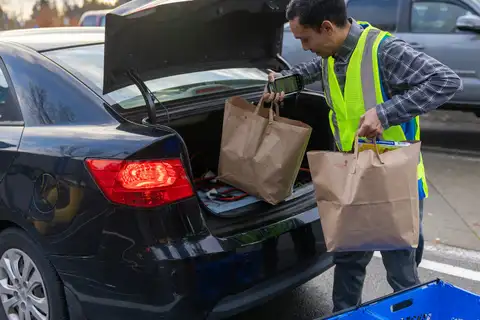
You can use SNAP benefits to buy groceries online in all 50 states and the District of Columbia, but only from stores that USDA has approved for SNAP online purchasing. Guam and the U.S. Virgin Islands have not started online purchasing (USDA, Stores Accepting SNAP Online, page updated February 17, 2026). You add your EBT card to your account on the store’s website or app and type your PIN at checkout. SNAP pays only for eligible food. Delivery, service and other fees must go on another payment method, and federal law requires the store to tell you about them when you place the order (7 U.S.C. 2016(k)).
Between January and June 2026, Alabama, South Carolina, Ohio and Mississippi set every EBT card to block online purchases by default. In those states you have to unlock the card before you check out (details below).
Where SNAP online purchasing works
USDA keeps one official list of approved online stores for each state, plus a separate list for New York City. Start at USDA’s Stores Accepting SNAP Online page, click your state on the map, and you get the stores taking SNAP online there, each linked to its website.
The program began as a pilot. The 2014 Farm Bill (Public Law 113-79) told USDA to test online SNAP payments. In January 2017 USDA picked the first eight retailers, and the pilot began in New York in April 2019. Washington followed in January 2020. Alabama, Iowa and Oregon joined in early March 2020, and Nebraska on April 1, 2020 (USDA). The 2018 Farm Bill changed the law’s heading from an “option” to “Acceptance of program benefits through online transactions.” The law also tells every state agency to make sure SNAP households can use their benefits online (7 U.S.C. 2016(k)(3)).
| Jurisdiction | SNAP online purchasing |
|---|---|
| All 50 states and the District of Columbia | Available at USDA-approved stores |
| Guam | Not started (USDA page updated February 17, 2026) |
| U.S. Virgin Islands | Not started (USDA page updated February 17, 2026) |
A store on your state’s list does not always deliver to your address. USDA’s advice is to check delivery on the store’s own website. A ZIP code counts as covered only where the store can deliver its full line of groceries, perishables included (USDA).
Which stores are on USDA’s lists
How long the list is depends a lot on where you live. On October 16, 2026, the 51 state and DC lists on USDA’s site held 1,496 entries in all. New York’s list had 82 entries and California’s had 68. Alaska’s had 11.
A small group of national names shows up on nearly every list. The table counts how many of the 51 lists (50 states plus DC) named each one, word for word as USDA lists it. This is a count, not a recommendation. Stores join and leave, so open your own state’s list before you shop.
| Name on USDA’s lists | Lists that include it (of 51) | Lists that did not include it |
|---|---|---|
| Amazon | 51 | none |
| Walgreens | 51 | none |
| CVS Banners | 51 | none |
| Dashmart | 51 | none |
| Walmart | 50 | District of Columbia |
| Target | 50 | Louisiana |
| Costco | 48 | Rhode Island, West Virginia, Wyoming |
| Thrive Market | 48 | Alaska, Hawaii, Iowa |
| Family Dollar | 47 | Alaska, Hawaii, Texas, Washington |
| Dollar General | 46 | Alaska, Hawaii, Illinois, Louisiana, New Mexico |
| Sam’s Club Scan and Go | 43 | Alaska, DC, Massachusetts, Montana, Oregon, Rhode Island, Vermont, Washington |
| Whole Foods | 43 | Alaska, Delaware, Illinois, Montana, North Dakota, South Dakota, Vermont, West Virginia |
| ALDI | 38 | Alaska, Colorado, Hawaii, Idaho, Louisiana, Maine, Montana, Nevada, New Mexico, Oregon, Utah, Washington, Wyoming |
Source: USDA state lists of SNAP online retailers, each state’s page read October 16, 2026.
Most of the rest are regional chains, local grocers, co-ops and some farms. On many lists, a store’s link goes to an ordering platform rather than the store’s own site. On the Texas list, for example, CVS Banners, Dashmart and Dollar General link to DoorDash pages. Several New York City grocers link to Mercato or Instacart pages, and some farms link to GrownBy. The store is the USDA-approved retailer. The platform is how its online orders are taken. If a store or app is not on your state’s USDA list, it is not approved to take SNAP online in your state, even if it takes your EBT card in person.
How to pay with your EBT card online
The screens differ from store to store, but USDA’s rules for retailers set the same basic steps everywhere (USDA, Retailer Criteria to Provide Online Purchasing to SNAP Households, page updated September 10, 2026):
- Find the store on your state’s USDA list and open its website or app from there. That way you know it is the real site.
- Create an account. Stores that keep a balance-check button on their site cannot offer guest checkout. Each customer account can hold only one SNAP EBT card.
- Add your EBT card as a payment method. Stores may limit how often you can swap in a different EBT card.
- Fill your cart. The store’s system has to make sure only SNAP-eligible food goes on the EBT card.
- Choose how much SNAP to use at checkout. Stores must let you pick the amount, so you can save part of your balance for later in the month.
- Pay the rest another way. Stores must let you split the payment. Non-food items, fees and any part of the food you don’t pay for with SNAP go on a second payment method.
- Enter your PIN in the secure PIN box. In September 2026, USDA’s approved PIN-entry processors were Fiserv, WorldPay and Forage.
If a store offers an online balance check, it may be capped at two checks per session. That is one of the anti-fraud options USDA gives stores (USDA). Your state’s EBT phone line and cardholder portal will always show your balance; see How to check your EBT balance.
Online stores must also handle refunds back to the EBT card and estimated prices for items sold by weight (USDA). Meat and produce may be charged a little differently from the estimate in your cart. Look at your receipt and EBT transaction history after the order.
What SNAP pays for online, and what it doesn’t
Online, SNAP buys the same foods it buys in a store. See What can you buy with EBT? for the full list. Stores must make sure only eligible foods are charged to SNAP (USDA).
SNAP never pays fees. The law says online retailers must make sure benefits are not used to pay “delivery, ordering, convenience, or other fees or charges.” It also says they must clearly tell you, when you place the order, about any such fee and that SNAP cannot pay it (7 U.S.C. 2016(k)(2)). USDA lists delivery, service and convenience fees as examples (USDA). Whatever a fee is called, read the fee lines before you confirm.
No sales tax on the SNAP part. No state or local sales tax may be charged on food paid for with SNAP. If you pay for part of your food another way, only the SNAP-paid part has to be tax-free (7 CFR 272.1(b)).
State food bans apply too. A number of states have federal waivers that stop SNAP from paying for soda, candy or similar items. USDA’s notices to retailers in those states tell every authorized store that it must comply. They do not set a separate rule for online orders (USDA, SNAP Food Restriction Waivers, updated October 13, 2026). Which states, which items and which start dates: see SNAP food restriction waivers.
Worked example: a delivery order split between SNAP and a debit card
These are made-up prices. They show how a split payment works under the rules above.
| Line in the cart | Amount | Can SNAP pay? |
|---|---|---|
| Groceries (milk, eggs, chicken, produce, cereal) | $72.48 | Yes |
| Paper towels and dish soap | $12.48 | No: not food |
| Delivery fee | $5.99 | No: fee |
| Service fee | $4.50 | No: fee |
| Total before any tax on non-food items | $95.45 |
If your SNAP balance is $150.00: SNAP pays the full $72.48 in groceries. Your debit card pays $12.48 + $5.99 + $4.50 = $22.97, plus whatever tax your state charges on the paper towels and soap. Your SNAP balance afterwards is $150.00 − $72.48 = $77.52.
If your SNAP balance is $55.00: you can put all $55.00 on SNAP. The other $72.48 − $55.00 = $17.48 of groceries goes on the debit card with the $22.97 of non-food items and fees: $17.48 + $22.97 = $40.45, plus any tax. Your state may charge sales tax on the $17.48 of food you paid for with the debit card, because only the SNAP-paid part has to be tax-free.
If you have no other payment method: stores have to let you choose how much SNAP to use, but they cannot let SNAP cover fees or non-food items. Unless an order has no fees and only eligible food, you will need a second way to pay. The store’s fee notice at checkout tells you which applies.
Card locks that block online orders
Since 2026, several states block online purchases on every EBT card unless the cardholder turns them back on. The aim is to stop thieves who copy cards and spend the benefits online or in other states. If your order fails at checkout with the right PIN, this is the first thing to check.
| State | Start date | What is blocked by default | How to unlock |
|---|---|---|---|
| Alabama | January 22, 2026 | Online purchases and purchases in stores outside Alabama | ConnectEBT app or website, or EBT Customer Service at 1-800-997-8888 |
| South Carolina | April 28, 2026 | Online purchases and purchases outside South Carolina | ConnectEBT.com, the ConnectEBT app, or 1-800-554-5268 |
| Ohio | May 13, 2026 | Online and out-of-state purchases (also applies to Summer EBT / SUN Bucks cards) | ConnectEBT.com, the ConnectEBT app, or 1-866-386-3071, 24 hours |
| Mississippi | June 11, 2026 | All online SNAP purchases and out-of-state purchases, including online grocery, delivery and pickup orders | ConnectEBT app or website, or 1-866-512-5087 (fewer options by phone) |
Sources: Alabama DHR (January 12, 2026) and its EBT contacts page; South Carolina DSS; Ohio Department of Job and Family Services (May 1, 2026); Mississippi DHS.
Mississippi’s ConnectEBT app and website offer three card settings, named: “Lock My Card Everywhere” (blocks everything), “Block High-Risk Transactions” (the new default: in-state stores only) and “Unlock My Card Everywhere” (online and out-of-state allowed) (Mississippi DHS). In Ohio, unlocking asks you to choose when the card locks itself again: 30, 60 or 90 minutes (ODJFS). So unlock, then check out within that window.
These are the four states whose official notices of a default online block this guide could confirm by October 16, 2026. Elsewhere, many EBT cardholder apps and websites let you freeze the card or block online use yourself. If you set a lock in the past, undo it before checkout. EBT skimming and stolen benefits explains the lock settings by processor and state.
Keeping your card number and PIN safe online
- Enter your PIN only in the store’s checkout PIN box, on a store you reached from USDA’s list. USDA says to keep your PIN and card number secret from anyone outside your household (USDA, Addressing Stolen SNAP Benefits, page updated September 8, 2026).
- “State agencies and EBT processors will never call or text to ask for your PIN or card number” (USDA). USDA has warned about fake texts saying an EBT card has been locked, with a number to call (USDA, SNAP Scam Alerts, alert of March 9, 2023). If your card really is blocked for online use, unlock it yourself in your state’s official app or website, or at the number on the back of your card.
- USDA suggests changing your PIN at least once a month, right before your benefits load (USDA).
- Check your transaction history after every online order. If you see charges you did not make, change your PIN and call your state’s EBT customer service line. The numbers for every state are on your state page. Federal replacement of stolen SNAP benefits ended December 20, 2024. A few states replace them with their own money; see EBT skimming and stolen benefits.
Common problems at checkout
- “Card declined” with the right PIN. In Alabama, South Carolina, Ohio and Mississippi, unlock online use first (table above). Elsewhere, check whether you froze the card or blocked online purchases in your EBT app.
- “Insufficient funds.” Lower the SNAP amount at checkout to your exact balance and put the rest on another payment method.
- The EBT option does not appear. The store may not be approved in your state, or it may not deliver full grocery orders to your ZIP code. Check your state’s USDA list and the store’s delivery area.
- Your SNAP benefits have not loaded yet. Online orders draw on the same balance as in-store purchases. See EBT deposit schedule by state for when your state loads benefits.
- Summer EBT (SUN Bucks) cards. Ohio says its default block covers Summer EBT cards too (ODJFS). For what Summer EBT is, see Summer EBT (SUN Bucks).
For discounted delivery memberships offered to EBT cardholders, see Discounts with an EBT card.
Sources
- Stores Accepting SNAP Online and the state retailer lists linked from its map, USDA Food and Nutrition Administration (page updated February 17, 2026; state lists read October 16, 2026, via the agency’s CDN copy)
- Retailer Criteria to Provide Online Purchasing to SNAP Households, USDA (page updated September 10, 2026)
- 7 U.S.C. 2016(k), Acceptance of program benefits through online transactions, U.S. Code (GPO)
- Public Law 113-79, Agricultural Act of 2014, GPO
- 7 CFR 272.1, General terms and conditions, eCFR
- SNAP Food Restriction Waivers, USDA (updated October 13, 2026)
- Addressing Stolen SNAP Benefits, USDA (page updated September 8, 2026)
- SNAP Scam Alerts, USDA
- SNAP Transactions for Out of State and Online Automatically Turned Off (January 12, 2026) and Electronic Benefit Transfer Contacts, Alabama Department of Human Resources
- South Carolina DSS Strengthens Fraud Prevention Measures to Protect SNAP Recipients, South Carolina Department of Social Services (April 2026)
- Ohio Putting More SNAP Fraud Protections in Place, Ohio Department of Job and Family Services (May 1, 2026)
- SNAP Updates in Mississippi and MDHS Launches New ConnectEBT App and Card Lock Feature, Mississippi Department of Human Services